DAP's accelerator is enabled by default thus
accelerating the download process.
However you may occasionally want to disable it in order
to download unconfigured file types.
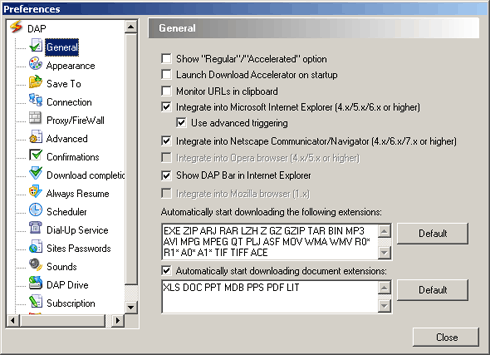
- In DAP's main window, select the Options menu and choose Preferences. The preferences window appears.
- Choose the General
option from the Configuration tree, to display the
General configuration window.
- Select Show Regular/Accelerator option.
|