How to Activate DAP Premium
Dear User,
Thank you for purchasing DAP Premium!
Activate your DAP Premium account now to get the fastest downloads, by following these simple steps:
Step 1
Make sure you have the latest version of DAP 10 Premium – download it now!Now that you have DAP 10 Premium, please activate your account:
Step 2
Open Download Accelerator Plus.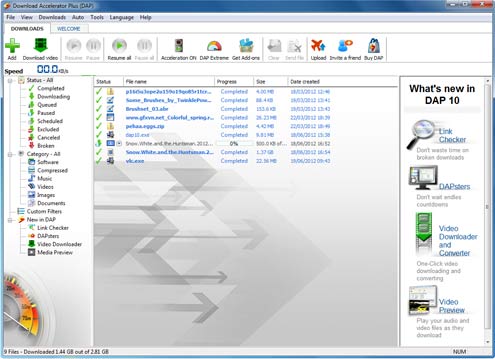
Step 3
Click on the Help menu and choose Enter DAP Premium activation code.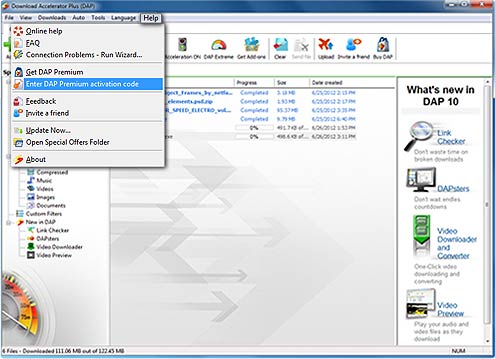
Step 4
Enter your email address and activation code in the Activation screen: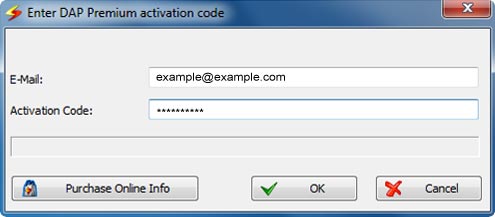
Check that your DAP Premium account has been activated:
The best way to verify that you have successfully registered your DAP premium account is to open Download Accelerator Plus and check that the banner advertisements have been removed. Alternatively you can:
Step 5
Open Download Accelerator Plus, and choose About from the Help Menu. In the Registration section you should see DAP Premium.
please contact us: [email protected]






Products & Services


Awards & Reviews