
300 million installations and counting...
AlwaysResume
In order to activate your Always Resume package follow the instructions bellow.- Click the Tools menu at the top of DAP's main window, select the Always Resume Service, and then select the Activate Always Resume option from the drop down menu.
-
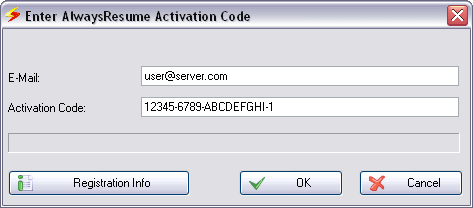
Copy your e-mail and activation code from the email, paste it into the appropriate box and click OK.
-
When confirmed click OK, your Always Resume Package is now activated.
Products & Services

 Commercial Use Note | Copyright Infringement Notice | Speedbit Privacy Policy | Download Accelerator Plus (DAP) product License Agreement | Speedbit Distribution Agreement
Copyright © 1999-2021 Speedbit Ltd. All specifications are subject to change. All trademarks are the property of their respective owners.
Speedbit's product Download Accelerator Plus (DAP - free download manager) & services related thereto are covered by United States Patent Nos. 6,339,785, 6,377,974 and 6,606,646. Other patents pending.