DAP Help
Downloading Files
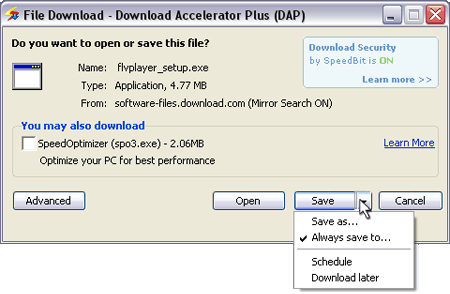
In order to start downloading a file, click the Save button when the download window appears. In the Save drop down menu you can choose Save as to manually determine the destination and file name of each download, or you can choose Always save to and determine the same destination folder for every download.
The download starts and a window displaying information about the file currently being downloaded appears. In DAP's download window you can keep multiple downloads on one screen, save a download to a specific folder or location, and opt to close the window automatically when the download completes.
When a download is in progress, use the arrow button at the left end of the progress bar to view or hide the connections, size, progress, location, and sources of the file.
The Switch Site button enables you to switch the servers the file is being downloaded from (The latter option is only available if DAP found mirror servers for the file.)