
300 million installations and counting...
DAP Help
Choosing Your Language
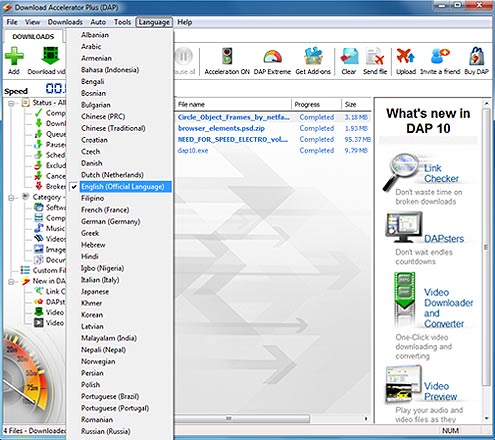
DAP is available in 48 languages. Follow these steps to select your language:- In DAP's main window, click the Language menu, and then select the language of your choice.
- A dialog box appears asking you to confirm your selection and informing you that DAP needs to restart automatically. Click OK.
DAP restarts automatically in the language you selected.
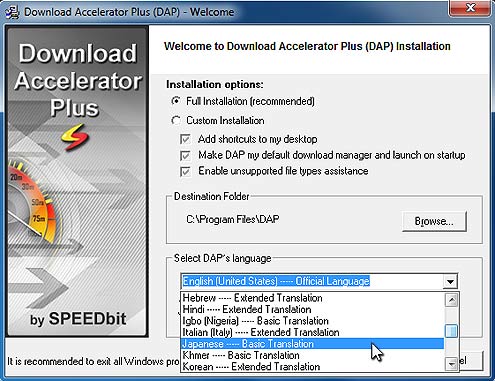
You also have the option to select your language when you install DAP.
When the Choose Language screen appears, select the Choose from the list option, and then select your language from the list.
Products & Services

 Commercial Use Note | Copyright Infringement Notice | Speedbit Privacy Policy | Download Accelerator Plus (DAP) product License Agreement | Speedbit Distribution Agreement
Copyright © 1999-2022 Speedbit Ltd. All specifications are subject to change. All trademarks are the property of their respective owners.
Speedbit's product Download Accelerator Plus (DAP - free download manager) & services related thereto are covered by United States Patent Nos. 6,339,785, 6,377,974 and 6,606,646. Other patents pending.