
300 million installations and counting...
DAP Help
Download File Info
When DAP recognizes an attempt to download a file, the download window will automatically open. You can choose the location of where you want the file to be saved. Simply click the Save button to save the file in a specific folder on your computer.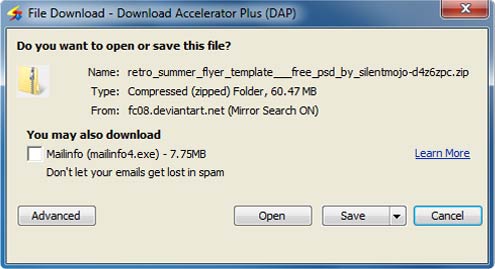
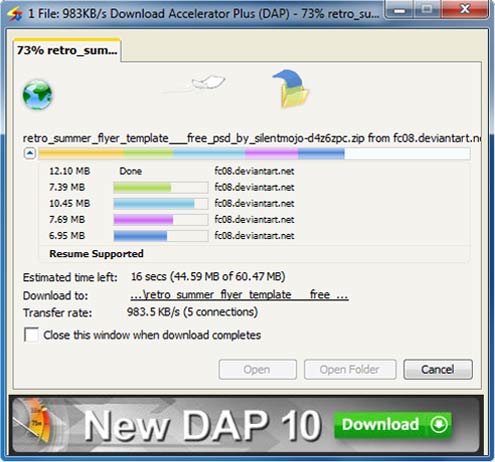
Use the arrow button next to the file name to open or close the download sources at anytime while downloading. It only takes DAP a second or two to find the fastest possible download sources in the shortest possible time and download the file you want with the fastest possible speed!
Products & Services

 Commercial Use Note | Copyright Infringement Notice | Speedbit Privacy Policy | Download Accelerator Plus (DAP) product License Agreement | Speedbit Distribution Agreement
Copyright © 1999-2023 Speedbit Ltd. All specifications are subject to change. All trademarks are the property of their respective owners.
Speedbit's product Download Accelerator Plus (DAP - free download manager) & services related thereto are covered by United States Patent Nos. 6,339,785, 6,377,974 and 6,606,646. Other patents pending.