
300 million installations and counting...
DAP Help
Navigating within Download Accelerator Plus
DAP gives you complete flexibility and control of your downloads.
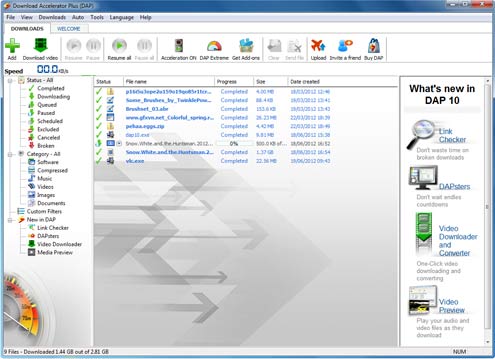
DAP's main window is divided into two sections:
- DOWNLOADS - here you can find and manage your current downloads. You can manage queues, schedules and progress. You can also view your completed downloads history, and access downloaded files or re-downloaded files.
- INTERNET - use the Search tab feature to browse the web within DAP or search for files you want to download via FileRatings.com.
Products & Services

 Commercial Use Note | Copyright Infringement Notice | Speedbit Privacy Policy | Download Accelerator Plus (DAP) product License Agreement | Speedbit Distribution Agreement
Copyright © 1999-2022 Speedbit Ltd. All specifications are subject to change. All trademarks are the property of their respective owners.
Speedbit's product Download Accelerator Plus (DAP - free download manager) & services related thereto are covered by United States Patent Nos. 6,339,785, 6,377,974 and 6,606,646. Other patents pending.